Onedrive Not Working With VPN Here’s How To Fix It

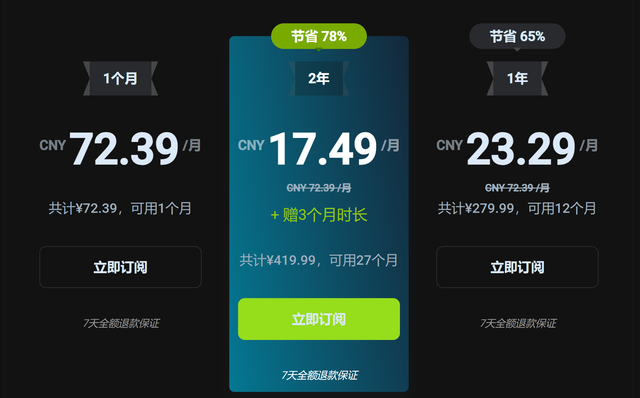
Editor's pick: NordVPN — fast, secure VPN — Strong encryption, a no-logs policy and apps for every device. 30-day money-back guarantee. Get NordVPN →
Onedrive not working with vpn here’s how to fix it. Quick fact: VPNs can cause syncing hiccups in OneDrive due to routing changes, security checks, and IP-based access rules. If you’re seeing errors like “We can’t connect to OneDrive” or “Something went wrong,” you’re not alone. This guide gives you a practical, step-by-step approach to get OneDrive back up and running while you stay private online. Below you’ll find a mix of hands-on steps, quick checks, and best practices, plus handy tips to keep you productive.



| VPN | Obfuscation | From / month | Plan | Free plan | Refund | Alipay | UnionPay | Crypto | Website opens in China | Trustpilot | |
|---|---|---|---|---|---|---|---|---|---|---|---|
 NordVPN | Turn on manually Obfuscated Servers / NordWhisper | $3.49/mo | 27 months: $94.23 | No | 30 days | ? | ✗ | ✓ | ✓ | ✗ Blocked | 4.2/5 (51,628 reviews) |
 ZoogVPN | Turn on manually Shadow | $2.49/mo | 27 months: $59.99 | Yes | 7 days | ✓ | ✓ | ✓ | ✓ | Official site blocked; our special link opens (4.4 s) | 4.2/5 (195 reviews) |
 ExpressVPN | ✓ On by default all servers | $3.00/mo | 28 months: $84 | No | 30 days | ✗ | ✗ | ✓ | ✗ | ✗ Blocked | 4.4/5 (29,706 reviews) |
 Surfshark | ✓ On by default Camouflage, with OpenVPN | See site | See site | No | 30 days | ✗ | ✗ | ✗ | ✓ | ✗ Blocked | 4.3/5 (31,823 reviews) |
 Proton VPN | Turn on manually Stealth, free plan too | $2.99/mo | 12 months: $35.88 | Yes | 30 days | ✗ | ✗ | ✗ | ✓ | ✗ Blocked | 2.1/5 (1,040 reviews) |
 Astrill VPN | Turn on manually StealthVPN / OpenWeb | $12.50/mo | 24 months: $300 | No | See site | ✗ | ✗ | ✗ | ✓ | ✗ Blocked | 1.3/5 (110 reviews) |
 Private Internet Access | Turn on manually Shadowsocks, OpenVPN only | $2.03/mo | 40 months: $81.2 | No | 30 days | ✗ | ✗ | ✗ | ✗ | ✗ Blocked | 4.2/5 (11,033 reviews) |
 CyberGhost | Turn on manually selected servers | $2.19/mo | 28 months: $61.32 | No | 45 days | ✗ | ✗ | ✗ | ✓ | ✗ Blocked | 4.0/5 (24,178 reviews) |
 PureVPN | Turn on manually switch to OpenVPN | $1.69/mo | 60 months: $101.55 | No | 31 days | ? | ? | ✗ | ✓ | ✗ Blocked | 4.4/5 (17,994 reviews) |
 AdGuard VPN | ✓ On by default TrustTunnel | $2.99/mo | 24 months: $71.76 | Yes | 30 days | ✓ | ✗ | ✓ | ✓ | Official site blocked; our special link opens (3.7 s) | 4.3/5 (290 reviews) |
 Mullvad | Turn on manually QUIC / Shadowsocks / LWO | $5.61/mo | €5/mo | No | 14 days | ✗ | ✗ | ✗ | ✓ | ✗ Blocked | 3.2/5 (192 reviews) |
 Windscribe | Turn on manually Stealth / WStunnel | $5.75/mo | 12 months: $69 | Yes | See site | ✗ | ✗ | ✗ | ✓ | ✗ Blocked | 4.7/5 (13,355 reviews) |
 StrongVPN | Turn on manually Scramble, OpenVPN TCP | See site | See site | No | 30 days | ✓ | ✗ | ✗ | ✗ | ✗ Blocked | 4.4/5 (2,695 reviews) |
 LightXtreme 闪连 | Not listed | $7.08/mo | 12 months: $84.99 | Yes | 30 days | ✓ | ✓ | ✓ | ✓ | ✓ Yes (3.5 s) | No page |
Prices checked 2026-11-10 on each vendor's pricing page (cheapest long plan, USD). Check the vendor's checkout for the final price.
Obfuscation checked 2026-11-14 on each vendor's site and help center: "on by default" = nothing to set; "turn on manually" = switch protocol or mode in settings; "not listed" = the vendor describes no obfuscation.
Payment methods checked 2026-11-10 on each vendor's payment pages: all 14 take cards and PayPal; ✗ = not listed, ? = the vendor's own pages disagree.
China access: whether the official website opens from mainland China networks (tests the website only, not the VPN connection). Last checked 2026-11-18 01:02 Beijing time.
Trustpilot score and review count checked 2026-11-10.
Useful resources and tools:
- Apple Website - apple.com
- Artificial Intelligence Wikipedia - en.wikipedia.org/wiki/Artificial_intelligence
- NordVPN affiliate link - https://go.nordvpn.net/aff_c?offer_id=15&aff_id=132441
- OneDrive support - support.microsoft.com
- Windows Health Status - support.microsoft.com/kb/927. Note: replace with accurate URLs as needed
Introduction: quick guide at a glance Best vpn server for efootball your ultimate guide to lag free matches
- If OneDrive stops syncing while a VPN is on, try these quick steps first:
- Pause and resume syncing
- Temporarily disable IPv6
- Change VPN server or protocol
- Allow OneDrive in Windows Firewall or your firewall app
- Clear OneDrive cache and reset the app
- Check your corporate or personal network rules if you’re on a managed network
- For ongoing issues, a longer list of fixes follows, with practical examples and screenshots-like steps you can follow.
- Resources and URLs: see the list at the end of the intro text-only, not clickable.
What prevents OneDrive from working with a VPN why this happens
- IP-based access checks: Some files or folders rely on geo or IP allowlists. VPNs switch your exit IP, triggering access blocks.
- TLS/SSL termination differences: Some VPNs alter how TLS tunnels are negotiated, which can confuse OneDrive’s security handshake.
- DNS routing quirks: VPN DNS can resolve cloud paths differently, causing 404-like errors.
- Firewall and antivirus interference: VPNs can highlight traffic as suspicious, leading Windows Defender or antivirus to block OneDrive.
- Bandwidth and latency: VPNs add RTT, which can slow auth tokens and syncing, causing timeouts.
- Protocol incompatibilities: Some VPN protocols IKEv2, WireGuard, OpenVPN UDP/TCP behave differently with cloud services.
Step-by-step fixes you can try quick wins first
- Pause and resume OneDrive
- Right-click the OneDrive cloud icon in the taskbar, choose Pause syncing, set a duration, then resume. This resets the local sync state.
- Temporarily disable IPv6
- Windows: Settings > Network & Internet > Ethernet/Wifi > Properties > uncheck Internet Protocol Version 6 TCP/IPv6.
- If you’re on a macOS system, go to System Preferences > Network > Advanced > TCP/IP and disable IPv6.
- Switch VPN server or protocol
- If you’re on a server in a country with stricter restrictions, switch to a different location.
- Change protocol e.g., from UDP to TCP, or try a wireguard profile if available. Some VPNs have “auto” fixes that can create issues with cloud auth.
- Allow OneDrive in Windows Firewall
- Settings > Update & Security > Windows Security > Firewall & network protection > Allow an app through firewall.
- Ensure: OneDrive.exe is allowed on both Private and Public networks.
- Check antivirus and firewall settings
- Some security suites block cloud traffic when VPNs are active. Temporarily disable real-time protection for a minute while you test.
- Clear OneDrive cache and reset the app
- Exit OneDrive, then delete the local cache folder:
- Windows: C:\Users<YourUserName>\AppData\Local\Microsoft\OneDrive\onedrive.ini
- C:\Users<YourUserName>\AppData\Local\Microsoft\OneDrive.
- Exit OneDrive, then delete the local cache folder:
- Re-link OneDrive account
- In the OneDrive app, sign out and sign back in to re-establish tokens.
- Use a different DNS server
- Set DNS to a public resolver e.g., Google 8.8.8.8 and 8.8.4.4 or Cloudflare 1.1.1.1 to improve resolution when connected to VPN.
- Temporarily disconnect VPN for critical syncs
- If you mainly need file access without VPN, disconnect for a quick sync session, then reconnect.
- Check for Windows updates and OneDrive updates
- Windows Update can fix network, VPN, and security handshake issues that affect cloud storage.
- Ensure OneDrive is up to date via Microsoft Store or the official installer.
Advanced troubleshooting steps more technical
- Check sync logs for error codes
- OneDrive logs often appear with error codes like 0x8004de68 or 0x8004de9d. Look for patterns and search Microsoft support for the exact code.
- Test with a different user profile
- Create a temporary Windows user and install OneDrive under that profile to verify if the issue is account-specific.
- Check network proxy settings
- VPNs sometimes use a system proxy. Ensure OneDrive isn’t trying to route through an invalid proxy.
- Inspect VPN split tunneling
- Disable split tunneling to force all traffic through the VPN; some services break with partial routing.
- Review corporate policies
- If you’re on a corporate VPN, admin policies may block cloud service endpoints. Contact IT.
Common issues and how to identify them
- “We can’t connect to OneDrive” or “There was a problem connecting to OneDrive”
- Likely caused by blocked endpoints or DNS issues. Try changing DNS and temporarily disabling VPN to test.
- Files not syncing or stuck in a “sync pending” state
- Could be local cache issues or large file transfer problems; reset the app or clear cache.
- Sign-in errors auth tokens expired, need re-auth
- Re-authenticate, verify MFA if enabled, and ensure time/date is correct on your device.
- Access denied on shared folders
- Check permissions; VPN may route you through a different IP, triggering access controls.
Tips for different platforms Windows, macOS, mobile How to Turn on Edge Secure Network VPN on Your Computer and Mobile
- Windows
- Ensure Windows Defender Antivirus isn’t blocking OneDrive: add as an exception.
- Use Task Manager to restart the OneDrive process if it’s hung.
- macOS
- Ensure Gatekeeper isn’t blocking OneDrive from launching with VPN
- Check system extensions for VPN compatibility
- iOS/Android
- Some mobile VPNs block background data. Ensure OneDrive background refresh is allowed and test with VPN off.
- If you see “Sync paused” on mobile, try clearing app cache or reinstalling the app.
Network considerations and best practices
- Use a trusted VPN with robust split-tunneling options, so essential services can route properly without exposing your entire traffic.
- Make sure your VPN’s kill switch is configured correctly; a faulty kill switch can drop connections to OneDrive unexpectedly.
- Consider a DNS-based workaround if DNS leaks are causing trouble: use a reliable DNS provider and verify via a DNS leak test.
Security considerations
- When VPNs cause issues, avoid leaving sensitive data unprotected. Always verify that your VPN is not leaking IP address or DNS information during troubleshooting.
- Keep two-factor authentication enabled for OneDrive/Microsoft accounts to protect access in case of token issues.
- Regularly review app permissions and notification settings for OneDrive and your VPN client.
Performance considerations
- If you’re syncing many large files, VPN-induced latency can slow performance. Schedule large syncs during off-peak hours or pause syncing while performing heavy tasks.
- Use selective sync to limit what’s uploaded while you troubleshoot. This reduces the data that needs real-time syncing.
Data privacy and compliance notes
- VPNs mask your IP, but enterprise policies might require logging of VPN endpoints for compliance. Check your organization’s policy.
- If you’re dealing with sensitive data, ensure your VPN provider has a strict no-logs policy and robust encryption.
Format-friendly tips for YouTube video content Safevpn review is it worth your money in 2026 discount codes cancellation refunds reddit insights and more
- Start with a quick one-liner recap: “OneDrive not working with VPN? Here’s how to fix it in 2026.”
- Use numbered steps and on-screen actions: show pause/resume, DNS changes, firewall exceptions.
- Include a short comparison table: VPN protocol impact on OneDrive performance.
- Add an FAQ panel at the end with compact, direct answers.
Table: quick reference checklist
- Quick checks:
- OneDrive paused? Resumed
- IPv6 disabled
- VPN server and protocol changed
- OneDrive allowed in firewall
- Antivirus temporarily disabled
- OneDrive cache cleared and reset
- DNS switched to 8.8.8.8/8.8.4.4 or 1.1.1.1
- Windows/Microsoft updates installed
- Sign-in re-established
- If issues persist:
- Create a new user profile for testing
- Check VPN split tunneling and kill switch settings
- Review corporate policy and endpoint blocks
- Contact support with error codes and logs
Frequently Asked Questions
Is it normal for OneDrive to stop syncing when I use a VPN?
Yes. VPNs can change your IP, DNS, and routing, which can trigger authentication checks and block syncing. Some services are stricter about non-local IPs, so you may see errors until you adjust settings or switch servers.
How can I tell if OneDrive is blocked by the VPN?
Look for error messages about connectivity, authentication failures, or permission issues. Also check if the VPN’s DNS is preventing OneDrive from resolving endpoints properly. Temporarily disconnect the VPN to see if the issue persists.
Should I disable IPv6 to fix OneDrive with a VPN?
Sometimes yes. Disabling IPv6 can simplify traffic routing and reduce unexpected IPv6 tunnels that confuse cloud services. Try disabling IPv6 temporarily to test. Telegram not working with vpn try these easy fixes updated 2026: VPN tips, fixes, and safety for smooth messaging
Can switching VPN protocols fix the problem?
Absolutely. Some protocols UDP vs TCP, WireGuard vs OpenVPN can behave differently with cloud services. If one protocol doesn’t work, try another.
What firewall settings matter most for OneDrive?
Make sure OneDrive.exe is allowed through the firewall on both private and public networks. Some security software also has application rules—ensure OneDrive is whitelisted.
How do I reset OneDrive on Windows?
Exit OneDrive, run the reset command from Run Win+R: %localappdata%\Microsoft\OneDrive\onedrive.exe /reset, and then restart the app.
Will clearing OneDrive cache delete my files?
No. Clearing cache removes temporary data and local sync data that can be rebuilt from the cloud. It won’t delete your files from OneDrive.
How do I test if the issue is account-specific?
Create a new Windows user profile, install OneDrive, and sign in with the same Microsoft account. If it works there, the problem is likely tied to your profile. Unpacking nordvpn github what you need to know before you download
What should I do if my corporate VPN blocks OneDrive endpoints?
Contact your IT department with the error codes you’re seeing. They may whitelist endpoints or adjust policies to allow OneDrive traffic through the VPN.
How can I speed up OneDrive syncing while using a VPN?
- Use selective sync to limit what’s uploaded.
- Use a VPN with a fast, local exit server.
- Enable WAN optimization features if available on your VPN.
Closing notes
- Troubleshooting OneDrive with VPNs can be a balancing act between privacy and accessibility. Start with simple fixes, then progressively test more advanced steps. With a bit of patience and the right settings, you’ll get back to syncing while keeping your online activity private.
If you found this guide helpful and want a deep-dive video walkthrough, consider checking our extended tutorials in our VPNs category on pro-buy.org. For a smooth, private browsing experience while you work, you might also explore NordVPN’s robust features through our affiliate link, which helps support our content while you get a trusted VPN solution.

Arlo Iglesias has been writing about consumer technology since 2018, with bylines covering secure messaging, streaming geo-unblocking, and threat modeling. Approaches each review by setting up the product the same way a typical reader would and recording every snag along the way.