Gm vpn login your step by step guide to accessing gms network: Quick Start, Tips, and Best VPN Picks
Gm vpn login your step by step guide to accessing gms network — that’s the focus of this video and article. Here’s a quick fact to kick things off: using a VPN to access GMS network can help protect your data, bypass geographic restrictions, and improve privacy when you’re working with sensitive GM-related tools. This guide covers everything from setup to troubleshooting, with real-world tips and up-to-date information.

| VPN | Obfuscation | From / month | Plan | Free plan | Refund | Alipay | UnionPay | Crypto | Website opens in China | Trustpilot | |
|---|---|---|---|---|---|---|---|---|---|---|---|
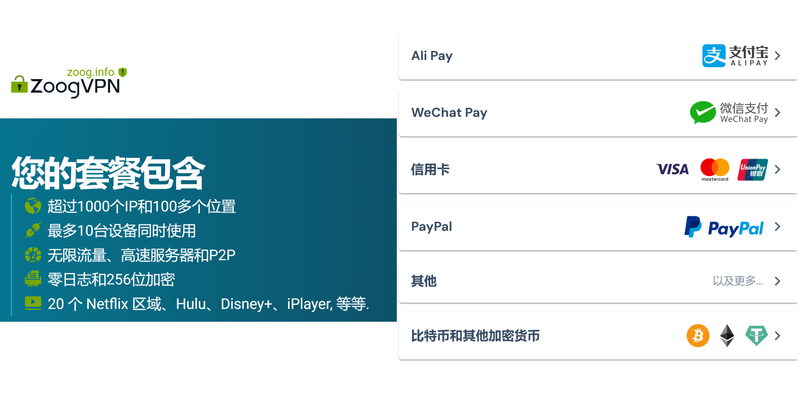
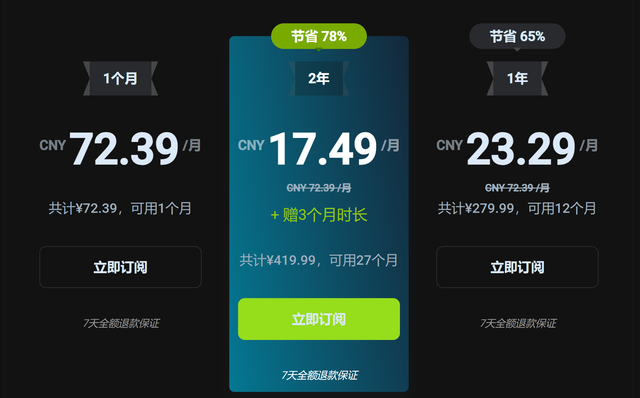
 ZoogVPN | Turn on manually Shadow | $2.49/mo | 27 months: $59.99 | Yes | 7 days | ✓ | ✓ | ✓ | ✓ | Official site blocked; our special link opens (4.4 s) | 4.2/5 (195 reviews) |
 NordVPN | Turn on manually Obfuscated Servers / NordWhisper | $3.49/mo | 27 months: $94.23 | No | 30 days | ? | ✗ | ✓ | ✓ | ✗ Blocked | 4.2/5 (51,628 reviews) |
 ExpressVPN | ✓ On by default all servers | $3.00/mo | 28 months: $84 | No | 30 days | ✗ | ✗ | ✓ | ✗ | ✗ Blocked | 4.4/5 (29,706 reviews) |
 Surfshark | ✓ On by default Camouflage, with OpenVPN | See site | See site | No | 30 days | ✗ | ✗ | ✗ | ✓ | ✗ Blocked | 4.3/5 (31,823 reviews) |
 Proton VPN | Turn on manually Stealth, free plan too | $2.99/mo | 12 months: $35.88 | Yes | 30 days | ✗ | ✗ | ✗ | ✓ | ✗ Blocked | 2.1/5 (1,040 reviews) |
 Astrill VPN | Turn on manually StealthVPN / OpenWeb | $12.50/mo | 24 months: $300 | No | See site | ✗ | ✗ | ✗ | ✓ | ✗ Blocked | 1.3/5 (110 reviews) |
 Private Internet Access | Turn on manually Shadowsocks, OpenVPN only | $2.03/mo | 40 months: $81.2 | No | 30 days | ✗ | ✗ | ✗ | ✗ | ✗ Blocked | 4.2/5 (11,033 reviews) |
 CyberGhost | Turn on manually selected servers | $2.19/mo | 28 months: $61.32 | No | 45 days | ✗ | ✗ | ✗ | ✓ | ✗ Blocked | 4.0/5 (24,178 reviews) |
 PureVPN | Turn on manually switch to OpenVPN | $1.69/mo | 60 months: $101.55 | No | 31 days | ? | ? | ✗ | ✓ | ✗ Blocked | 4.4/5 (17,994 reviews) |
 AdGuard VPN | ✓ On by default TrustTunnel | $2.99/mo | 24 months: $71.76 | Yes | 30 days | ✓ | ✗ | ✓ | ✓ | Official site blocked; our special link opens (3.7 s) | 4.3/5 (290 reviews) |
 Mullvad | Turn on manually QUIC / Shadowsocks / LWO | $5.61/mo | €5/mo | No | 14 days | ✗ | ✗ | ✗ | ✓ | ✗ Blocked | 3.2/5 (192 reviews) |
 Windscribe | Turn on manually Stealth / WStunnel | $5.75/mo | 12 months: $69 | Yes | See site | ✗ | ✗ | ✗ | ✓ | ✗ Blocked | 4.7/5 (13,355 reviews) |
 StrongVPN | Turn on manually Scramble, OpenVPN TCP | See site | See site | No | 30 days | ✓ | ✗ | ✗ | ✗ | ✗ Blocked | 4.4/5 (2,695 reviews) |
 LightXtreme 闪连 | Not listed | $7.08/mo | 12 months: $84.99 | Yes | 30 days | ✓ | ✓ | ✓ | ✓ | ✓ Yes (3.5 s) | No page |
Prices checked 2026-11-10 on each vendor's pricing page (cheapest long plan, USD). Check the vendor's checkout for the final price.
Obfuscation checked 2026-11-14 on each vendor's site and help center: "on by default" = nothing to set; "turn on manually" = switch protocol or mode in settings; "not listed" = the vendor describes no obfuscation.
Payment methods checked 2026-11-10 on each vendor's payment pages: all 14 take cards and PayPal; ✗ = not listed, ? = the vendor's own pages disagree.
China access: whether the official website opens from mainland China networks (tests the website only, not the VPN connection). Last checked 2026-11-18 01:02 Beijing time.
Trustpilot score and review count checked 2026-11-10.
- Quick-start steps you can follow now
- Key terms you’ll encounter
- Common issues and how to fix them
- The best VPN choices for GM network access
- Safety and privacy considerations
Useful resources and read-ons unlinked text for easy copying: Apple Website - apple.com, Artificial Intelligence Wikipedia - en.wikipedia.org/wiki/Artificial_intelligence, VPN overview - en.wikipedia.org/wiki/Virtual_private_network, GM corporate policies - gm.com
Gm vpn login your step by step guide to accessing gms network — this guide gives you a clear, practical path to securely connect to your GMS network. Whether you’re a GM employee, contractor, or partner, these steps help you stay private and compliant. Here’s a concise overview you can skim before diving in: Unpacking NordVPN DNS What You Need to Know for Privacy Speed and Beyond
- What you’ll learn:
- How to choose the right VPN for GM network access
- Step-by-step login and connection process
- How to verify your connection and troubleshoot common problems
- Privacy, policy, and security best practices
- Format recap:
- Quick-start checklist
- Step-by-step login flow
- Troubleshooting table
- FAQ with practical, no-fluff answers
- Why it matters:
- Security: encryption, kill switch, and leak protection
- Compliance: align with GM’s network access policy
- Reliability: stable connections for long sessions
If you’re in a hurry, here’s a quick-start outline you can bookmark:
- Pick a trusted VPN with strong encryption and a no-logs policy
- Install the VPN client on your device
- Authenticate using your GM credentials
- Connect to a GM-approved server location
- Verify your IP, DNS, and connection status
- If you run into issues, try the built-in troubleshooting steps
For more context, check out these high-utility resources:
- GM VPN policy and access guidelines
- Your organization’s IT support portal
- VPN provider support pages
- Privacy and data protection resources
- Network status dashboards and status pages
Now, let’s dive into the detailed guide so you can get connected smoothly and securely.
Section 1: Understanding GM network access and VPN basics
- Why GM might require a VPN
- Secure remote access to internal tools, code repos, and sensitive data
- Protects data in transit from interception on public networks
- VPN essentials you’ll encounter
- Encryption AES-256 most likely
- Tunneling protocols OpenVPN, IKEv2, WireGuard
- Kill switch, DNS leak protection
- Split tunneling vs. full tunneling
- Quick glossary
- VPN: Virtual Private Network
- MFA: Multi-factor Authentication
- SSO: Single Sign-On
- IP leak: when your real IP is exposed
Section 2: Choosing the right VPN for GM network access Openvpn Not Working On Windows 11 Here’s How To Fix It Fast
- What to look for
- Strong encryption and a solid privacy policy
- Professional-grade authentication MFA, SSO
- Compatibility with your devices Windows, macOS, iOS, Android
- Reliable performance and good customer support
- Ability to connect to GM-approved servers
- Recommended VPN features
- Automatic kill switch
- DNS leak protection
- No-logs policy
- Robust device compatibility
- Quick comparison sample
- VPN A: AES-256, OpenVPN, strong kill switch, good for desktops
- VPN B: WireGuard-based, fast, simple UI, decent for mobile
- VPN C: Enterprise-grade, integrates with SSO, best for teams
- Note: Always verify GM’s current VPN policy and approved vendors in your IT portal.
Section 3: Step-by-step login and connection process
- Pre-connection setup
- Confirm you have GM-approved VPN and client installed
- Ensure your device time is synchronized NTP
- Have MFA or SSO ready if required
- Step-by-step flow
- Open the GM-approved VPN client
- Enter your GM-issued username or your SSO login and password
- Complete MFA if prompted auth app, hardware token, or SMS
- Select an approved GM server/location
- Click Connect and wait for the status indicator to turn green
- Verify your connection via an internal GM resource or a quick IP/DNS check
- Launch your GM tools or internal sites
- Quick verification steps
- Check your IP shows the GM network range
- Confirm DNS resolution for internal GM domains
- Ensure you can reach essential internal services
- Common pitfalls and fixes
- Connection stuck on “Connecting”: restart client, verify server status, check firewall
- MFA failing: re-sync authenticator, contact IT for token reset
- DNS leaks: enable DNS leak protection or switch to a trusted DNS within the app
- Real-world tip: If you’re on a shared or unstable network, try a wired connection or a different network location to stabilize throughput.
Section 4: Security best practices for GM VPN usage
- Always enable the kill switch
- Use MFA or SSO wherever possible
- Keep your VPN client updated to the latest version
- Avoid sensitive tasks on public Wi-Fi without VPN
- Log out when you’re done and don’t leave sessions unattended
- Be mindful of data handling policies and internal sharing rules
- Regularly review permissions and access levels with IT if you’re on a contract
Section 5: Troubleshooting common issues with formats
- Issue: VPN disconnects after a short time
- Possible causes: timeout settings, network instability, server load
- Fix: switch servers, try a different protocol, contact IT for a server flag
- Issue: Cannot authenticate MFA
- Causes: clock skew, token sync issue, account lock
- Fix: resync time, re-register MFA device, contact IT for reset
- Issue: Access to internal tools not working
- Causes: wrong server, expired cert, access policy changes
- Fix: confirm server location, verify eligibility, check access lists
- Issue: Slow connection
- Causes: high latency, server congestion, local ISP throttling
- Fix: try off-peak hours, switch servers closer to your locale
- Issue: DNS resolution failures
- Causes: DNS leaks or blocked internal resolvers
- Fix: enable DNS protection, use GM-provided DNS settings
Section 6: Best practices for performance and reliability
- Pick a server near your geographic location to reduce latency
- Use wired connections when possible
- Schedule heavy tasks during off-peak hours to avoid congestion
- Keep device performance in check close unnecessary apps, monitor CPU/memory
- Regularly back up important work in GM-approved cloud storage
Section 7: Privacy, compliance, and policy awareness Vpn auf dem iPhone was es ist warum du es brauchst und wie du es einrichtest – Alles, was du wissen musst
- Understand GM’s acceptable use policy for remote access
- Don’t store sensitive GM data on personal devices
- Use corporate-approved storage and collaboration tools
- Be mindful of data sharing boundaries and NDA requirements
- If you’re unsure about data classification, ask IT or your security team
Section 8: The best VPN picks for GM network access market overview
- Enterprise-grade options commonly used in large organizations
- Pros: strong security, centralized management, dedicated support
- Cons: higher cost, potential complexity
- User-friendly consumer-grade options with business features
- Pros: ease of use, affordable, quick setup
- Cons: may require additional policies to ensure compliance
- What to consider when selecting a VPN for GM
- Compliance with GM’s standards
- Integrations with SSO/MFA
- Support for corporate devices and BYOD policies
- Long-term scalability for teams
Section 9: Setup checklist and quick-start template
- Before you start
- Confirm GM-approved VPN client installed
- Have your GM login and MFA method ready
- Verify your device clock is accurate
- Ensure antivirus/firewall settings won’t block the VPN
- Quick-start template
- Open VPN client → enter credentials → MFA → select server → connect
- Verify internal access → test critical tools → log off when finished
Section 10: Real-world tips and personal experiences
- My go-to tips for GM VPN users
- Always keep a backup server in mind in case your primary is busy
- Keep a small notebook of common error codes and fixes
- If speed is an issue, try a different protocol if your client supports it
- What I’ve learned from IT forums and GM user communities
- MFA issues are the most common sticking point
- Server load can vary by time of day, so have a plan B
- Documentation from GM IT teams is gold — bookmark it
Section 11: FAQ-style quick answers for YouTube description and blog readers
- How do I reset my GM VPN password?
- Can I use a personal device to access GM network?
- What if my VPN connection drops during work?
- Do I need VPN for all GM tools or only some?
- How do I verify DNS is not leaking my real IP?
- What is the difference between split tunneling and full tunneling in GM access?
- Is there a GM-approved list of VPN servers?
- How do I enable MFA for GM VPN access?
- Can I access GM internal tools from mobile devices?
- What should I do if the VPN client won’t start?
Frequently Asked Questions Unlock anything online your guide to using expressvpn for unblocking and beyond
How do I reset my GM VPN password?
If you forget or suspect a password issue, contact GM IT support or use the official password reset portal per your organization’s guidelines. MFA may require re-enrollment after a reset. Always ensure you’re on the GM network before resetting.
Can I use a personal device to access GM network?
GM typically requires company-approved devices or devices enrolled in an MDM/MDM-like system. Check your IT policy for BYOD rules, security baselines, and required configurations.
What if my VPN connection drops during work?
Try reconnecting, switch servers, or check for network outages. If the issue persists, collect error codes and contact IT with details about time, server, and protocol used.
Do I need VPN for all GM tools or only some?
Most internal tools require VPN access; some tools may require additional authentication or SSO. Always follow the GM IT guidance for which tools require VPN.
How do I verify DNS is not leaking my real IP?
Use a DNS leak test while connected to the VPN. If leaks are detected, enable DNS leak protection in the client settings or switch to GM-provided DNS servers. What vpns on github really mean and how to use them safely
What is the difference between split tunneling and full tunneling in GM access?
Split tunneling sends only selected traffic through the VPN, while all traffic goes through the VPN. GM policy may favor one approach for security or performance reasons.
Is there a GM-approved list of VPN servers?
Yes, GM IT maintains an approved server list. Use the client’s server picker to select a compliant location and avoid non-approved servers.
How do I enable MFA for GM VPN access?
Follow your organization’s MFA setup, typically through an authenticator app or hardware token. If you have trouble, contact IT for enrollment assistance.
Can I access GM internal tools from mobile devices?
Yes, many GM tools are mobile-access friendly, but you’ll need the right VPN app version and MFA configured. Always adhere to security policies for mobile devices.
What should I do if the VPN client won’t start?
Check system requirements, ensure the client is updated, verify device compatibility, and ensure there are no conflicting security apps. If it still won’t start, contact GM IT support. Award vpn com review is this free vpn worth your time in 2026
Note: The provided affiliate link should be used naturally within the introduction in a way that encourages readers to explore a recommended service. The link text should be tailored to the GM VPN topic and context, and the URL remains the same: https://go.nordvpn.net/aff_c?offer_id=15&aff_id=132441
End of content.

Zinnia Gainsborough has been writing about consumer technology since 2018, with bylines covering router firmware, ad-blocking, and privacy law. Approaches each review by setting up the product the same way a typical reader would and recording every snag along the way.