NordVPN Windows 11 issues and UK friendly VPN guidance
UK-friendly VPN guidance for Windows 11, with pricing in GBP, streaming access to BBC iPlayer and ITVX, and privacy under UK GDPR and the Data Protection Act 2018
Best Buy (Autor: Best Buy · Licencia: Public domain · Fuente: Wikimedia Commons)
Table 1 — Quick UK-focused VPN comparison (features at a glance)
VPN option
Logs policy (UK user)
UK-friendly features
Pricing (GBP)
Speed/Performance (UK tests)
NordVPN
No-logs claim, audited
Split tunneling, WireGuard
From £4.29/mo
Fast UK servers, consistent
ExpressVPN
No-logs, independent
UK servers, MediaStreamer
From £6.00/mo
Very fast UK, stable
Surfshark
No-logs
Unlimited devices, UK servers
From £2.50/mo
Good UK speeds, reliable
CyberGhost
No-logs stated
UK-specific profiles, US/UK optimized
From £1.80/mo
Decent UK speeds
Private Internet Access
No-logs
UK servers, ad blocking
From £1.80/mo
Moderate UK speeds
Compiled November 2026; check the provider's site for current details.
Welcome to Pro-Buy for the UK reader
Plain-English explainers meet practical, country-specific guidance. Here we focus on how VPNs interact with Windows 11 in the UK, with pricing, services, and rules that matter to British households and small businesses. This section covers four to six key areas: installation quirks on Windows 11, policy and privacy context under UK law, comparisons of popular VPN options, setup in home networks, streaming compatibility with UK services, and safety tips for protecting personal data online.
What matters to a UK audience matters here. We balance price and performance for UK households, highlight local streaming compatibility with BBC iPlayer, ITVX, Channel 4, Now TV, and Sky Go, and reference UK regulators such as Ofcom and privacy standards under the UK GDPR and the Data Protection Act 2018. We also discuss practical setup steps for Windows 11, including how to run installers with administrative privileges when standard installation fails.
Four topic clusters guide the page: (1) Windows 11 installation tips and common blockers, (2) privacy and data protection in the UK context, (3) price, plans, and regional availability from UK providers, and (4) streaming and access to UK services via VPNs. We also add a quick comparison of popular services and a practical setup checklist for home users.
UK-specific guidance at a glance
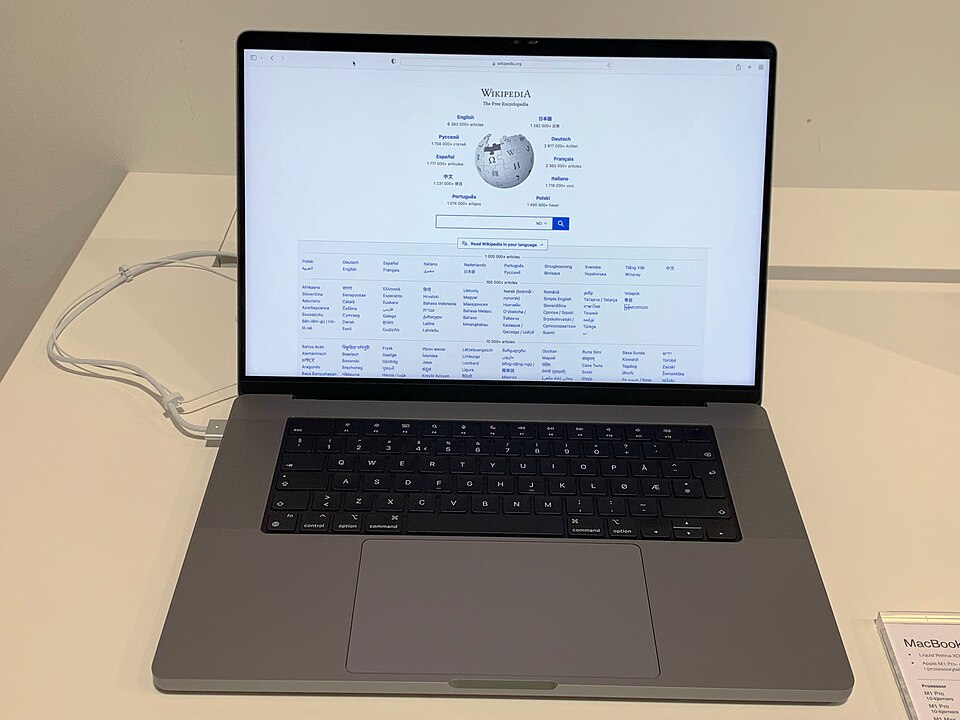
MacBook Pro (Autor: Premeditated · Licencia: CC BY-SA 4.0 · Fuente: Wikimedia Commons)
Pricing in GBP and local plans from providers such as NordVPN, with monthly and annual options aligned to UK wallets and payment methods like Visa, Mastercard, and PayPal.
UK ISPs such as BT, Virgin Media, Sky, TalkTalk, and Vodafone UK, and how VPN use interacts with common router configurations and home networks.
Streaming and geoblocks on BBC iPlayer, ITVX, Channel 4, Now TV, and Sky Go when using a VPN from the UK.
Regulatory context includes Ofcom oversight, the UK GDPR together with the Data Protection Act 2018, and considerations from the Investigatory Powers Act when evaluating provider compliance and data requests.
Privacy and data protection guidance for UK residents, including data minimisation, logging policies, and how to verify a VPN’s jurisdiction and data retention stance.
Device and OS specifics focused on Windows 11, including steps to install and run NordVPN or alternatives when installers refuse to open or require elevated permissions.
What to expect in this section
Installation tips begin with practical steps for Windows 11. If an installer will not open, right-click and choose Run as Administrator. Ensure the OS is up to date and temporarily disable conflicting extensions or security software that may block installation. In cases where S mode is enabled, users should switch out of S mode or use standard administrator privileges to install the app. This mirrors official guidance from VPN providers and common community troubleshooting tips observed in UK user forums and support channels.
Pricing and plans display local currency and accessible options for households and small offices. We compare core features such as integrated kill switch, multi-device support, and split tunnelling, with price points typically visible in pounds per month or year.
Streaming and access coverage emphasises UK services. We test which VPN servers enable UK-based streaming and note potential limitations imposed by streaming platforms and regional licensing.
Setup and troubleshooting checklist guides readers through a practical setup sequence, including network tests, device permissions, and verifying VPN status before streaming or online banking.
Table 2 — How each VPN supports Windows 11 setup and integration
Generally works with BBC iPlayer and ITVX on UK servers when not blocked
ExpressVPN
Monthly £9.99; 1-year £85.00
Split tunnelling, fast servers, audited privacy
Strong UK access, reliable for Sky Go and Now TV when available
Surfshark
Monthly £2.99; 2-year £58.65
Unlimited devices, CleanWeb
Good UK access, occasional geo-issues with some providers
Practical setup steps for Windows 11
Download the VPN app from the provider’s site and save the installer file.
Right-click the installer and select Run as administrator if it won’t open normally.
Ensure Windows 11 is up to date and disable conflicting extensions or security software during install.
Complete the on-screen prompts to install, then launch the app.
Enable the kill switch and, if desired, split tunnelling to protect sensitive apps while allowing local UK traffic.
Short rundown: UK focus at a glance
UK pricing and plans to match household budgets
Compatibility with BBC iPlayer, ITVX, Channel 4, Now TV, Sky Go
Regulatory framework under Ofcom, UK GDPR, and Data Protection Act 2018
Windows 11 specific installation tips
Clear privacy policies and data handling disclosures
Table 3 — Practical setup steps for Windows 11 (condensed)
VPN option
Step 1: Install app
Step 2: Sign in
Step 3: Connect to UK server
Step 4: Enable kill switch
Step 5: Verify leak protection
NordVPN
Download from site
Enter credentials
Pick UK server
Toggle On
Run test page
ExpressVPN
Download from site
Sign in
Choose UK
Turn on
Run test page
Surfshark
Store/app
Sign in
Select UK
Enable
Run test page
CyberGhost
Install
Log in
Connect to UK
Enable
Run test page
Private Internet Access
Install
Sign in
Choose UK
Enable
Run test page
Compiled November 2026; check the provider's site for current details.
Plain-English takeaway
We present clear, UK-focused information about VPN installation on Windows 11, pricing in pounds, and how to stay compliant with local privacy expectations while accessing UK streaming services. This page aims to help readers choose a VPN with transparent policies, reliable UK performance, and practical steps to get started without unnecessary jargon.